
What to Do When Your Laptop Gets Water Damaged
Protect Your Laptop from Liquid Damage
Understanding and Preventing Water Damage
Discover essential strategies to safeguard your laptop from the harmful effects of liquid exposure. Learn how to act quickly and effectively to minimize damage and ensure the longevity of your device.
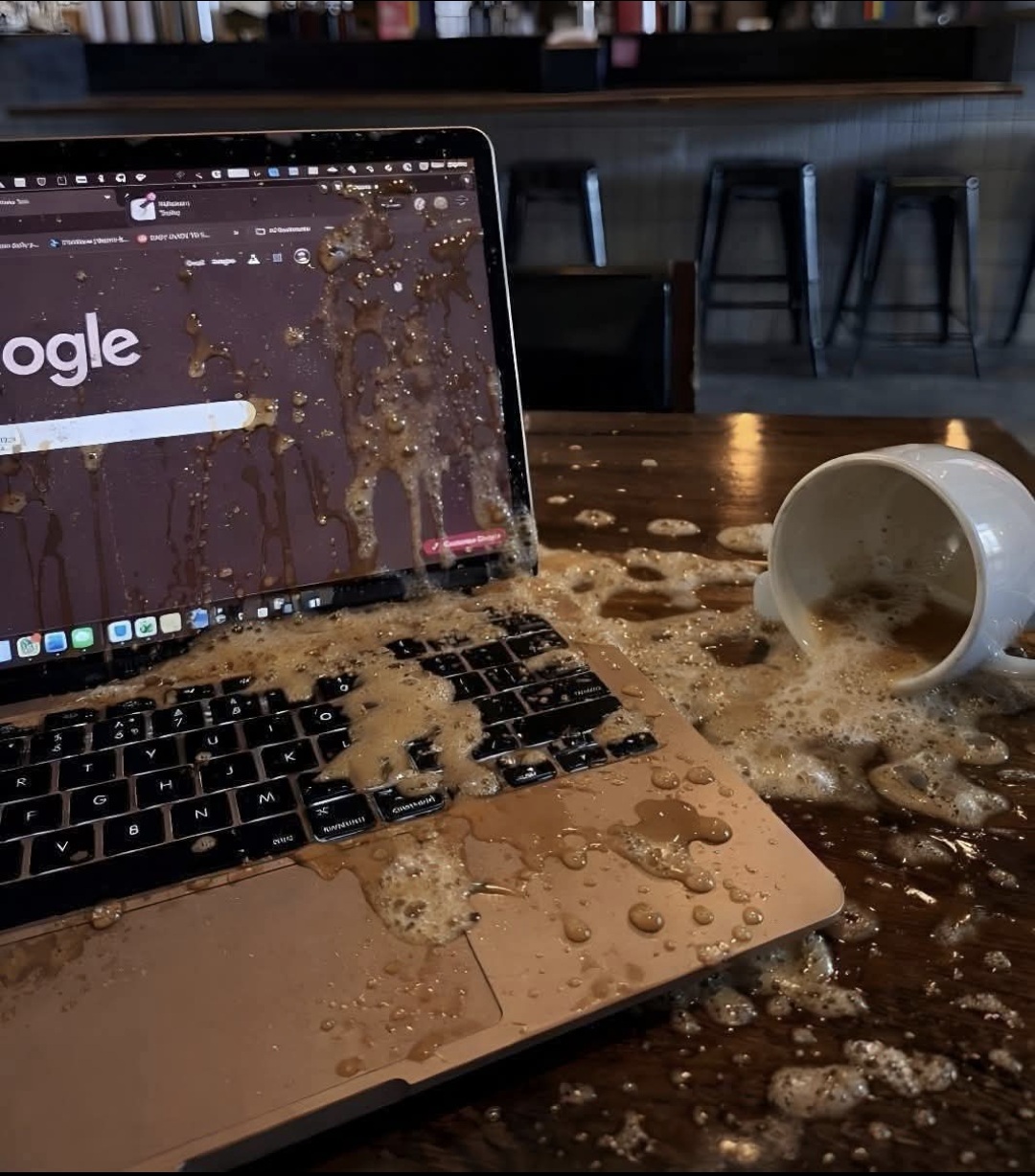
The Dangers of Liquid Exposure
Why Water Damage Is a Serious Threat
Water damage poses a significant threat to laptops due to their intricate electronic components. Exposure to liquids can lead to short circuits, corrosion, and irreversible damage to the motherboard, keyboard, and battery. Even a minor spill can result in data loss or complete system failure, making it crucial to understand the risks and take preventive measures.
Immediate Actions to Protect Your Laptop
Power Off Instantly
Turn off your laptop immediately and disconnect it from any power source to prevent electrical damage.
Disconnect All Accessories
Remove any connected devices such as USB drives and chargers to avoid further complications.
Remove the Battery
If possible, take out the battery to stop any electrical flow and reduce the risk of short circuits.
Avoid These Mistakes
Critical Actions to Avoid
After a liquid spill on your laptop, certain actions can exacerbate the damage. Refrain from turning the device back on immediately, as this can cause short circuits. Avoid using heat sources like hairdryers, which can warp components. Shaking the laptop might spread the liquid further, and relying on rice to absorb moisture is ineffective. Ignoring the issue, even if the laptop seems functional, can lead to hidden damage worsening over time.
When to Seek Professional Help
Understanding when to seek professional repair is crucial for minimizing damage from liquid exposure. If the laptop shows signs of malfunction or if liquid has seeped into internal components, expert intervention is necessary. Professionals can clean circuits, prevent corrosion, and replace damaged parts. They also have the tools to recover important data, ensuring minimal disruption to your work. Prompt professional attention can prevent further deterioration and restore your laptop's functionality.
Professional repair services offer several benefits, including thorough inspections that identify hidden issues. Technicians can provide tailored solutions to repair or replace affected components, safeguarding your device's longevity. Additionally, expert data recovery services can retrieve lost files, protecting valuable information. By entrusting your laptop to professionals, you ensure comprehensive care and peace of mind, knowing that all potential problems are addressed effectively.
Preventive Measures
Reducing the Risk of Liquid Damage
Implementing preventive measures can greatly reduce the risk of liquid damage to laptops. Always keep beverages and other liquids at a safe distance from your device. Consider using protective covers or cases that offer an additional layer of defense against spills. In shared or crowded environments, exercise caution to prevent accidental spills. Additionally, store your laptop in a secure location when not in use to avoid unexpected accidents.
Being proactive about laptop safety can save you from costly repairs and data loss. Avoid using your laptop near water sources, such as pools or sinks, where accidental exposure is more likely. Educate others who use your device about the importance of keeping liquids away. By adopting these simple habits, you can protect your laptop from potential liquid damage and ensure its longevity and reliability.
Protect Your Laptop from Water Damage
Don't wait for a spill to happen! Take proactive measures today to safeguard your laptop from potential water damage. Explore our expert tips and solutions to keep your device safe and functioning optimally.